Merge Number Brain Teaser
Instructions:
Tap and dragDescription
Merge Number Brain Teaser Mobile & PC Control Guide
Control Scheme
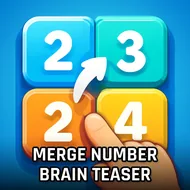
- Tap a numbered block to pick it up, then drag it across the grid toward its twin.
- Release over a matching tile to merge the two into the next number up the chain.
- On PC, click and hold with the mouse instead of tapping, then drag before letting go.
- Keep an eye on the board edges — dragging off the grid usually cancels the move.
- Rescue tools sit in a small tray near the board, tap once to activate them when you're stuck.
This one wears its 2048 roots proudly, no pretending otherwise, but it doesn't just copy-paste the formula and call it done. The merging itself feels the same familiar way, drag a tile into its match and watch the numbers climb, except here the game actually throws you a rope when things get messy instead of letting you stare at a dead board for five minutes. That rescue mechanic changes the pacing quite a bit, honestly. Instead of restarting in frustration every time the grid fills up, you get a chance to dig yourself out, which makes the whole thing feel less punishing and more like a puzzle you're solving rather than a test you're failing. The drag controls are light and responsive, no weird lag between finger and tile, and that matters a lot in a game built entirely around quick, repeated motions. It's simple, sure, but simple isn't the same as shallow here.
Top Tips
- Build your bigger numbers toward one corner and try not to scatter them across the board.
- Don't burn a rescue tool the instant things look tight, sometimes one more merge clears the jam anyway.
- Watch the small tiles pile up in open spaces, they cause more trouble than the big ones ever do.
- Plan two or three moves ahead instead of just chasing the nearest matching number.
- Slow your drag down near the target tile so the merge actually registers instead of missing the drop.